Payroll Settings
Access Settings
To access from the Button Bar, go to Special Functions > Settings

General Tab
-
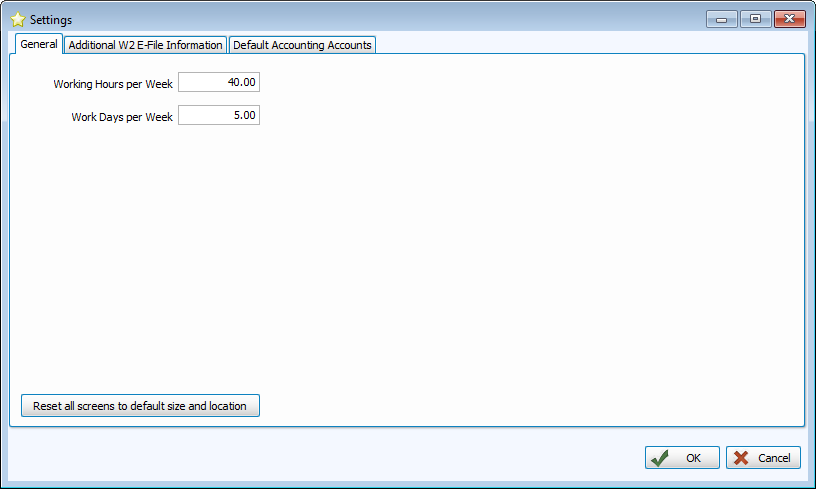
On the General Tab of Settings, set the expected for hours and days most employees work per week. Employee hours are set individually, this setting just the assumed default.
-
Click
 to restore settings. This is useful if your screens seem to be minimized or don't fit in the viewable area.
Additional W2 E-File Information
-
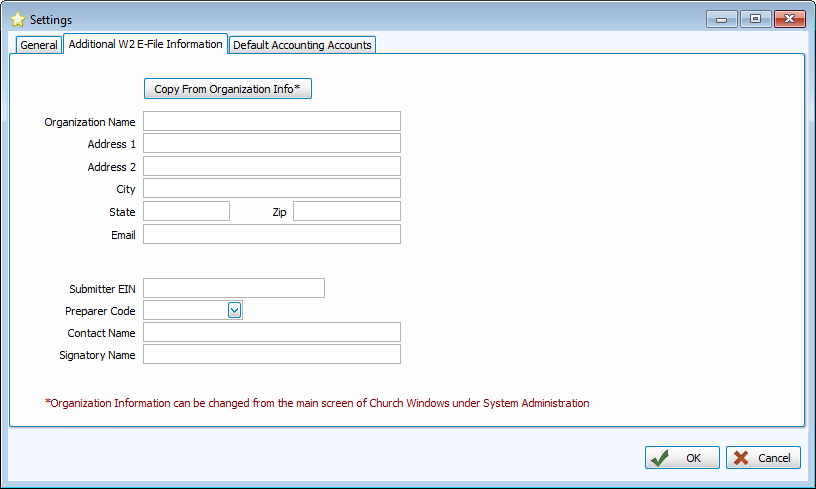
This tab stores the information that will be transmitted with an electronic filings. Click
 to import the information from Administration > System Info. You can still change individual pieces in this screen if there are differences.
 -
You will also need to record your Employer Identification Number, Preparer Code, Contact Name, and Signatory Name.
Preparer Codes
Self-Prepared
An employee or titled member (such as the Treasurer) of the church prepares the filing
Accounting Firm
A company outside your organization is hired to file your taxes
Service Bureau
A company that provides tax services or software, but is not an accounting firm
Parent Company
An administrative body over your organization that prepares taxes on behalf of the churches within it
Other
A preparer that does not meet any of the above definitions, such as a volunteer
Default Accounts
-
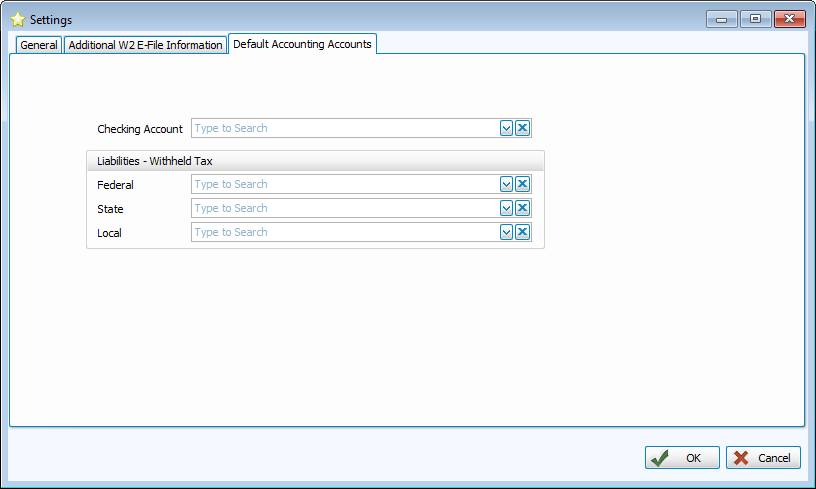
The accounts selected here will be the defaults for new payees, but can be changed individually.